
Overview
SalesHood's Integrations API supports the following authentication method:
- API Key
API Key
Generate an API Key
The Integrations API key can be generated by a Company Admin user in the Company Settings of your SalesHood instance.
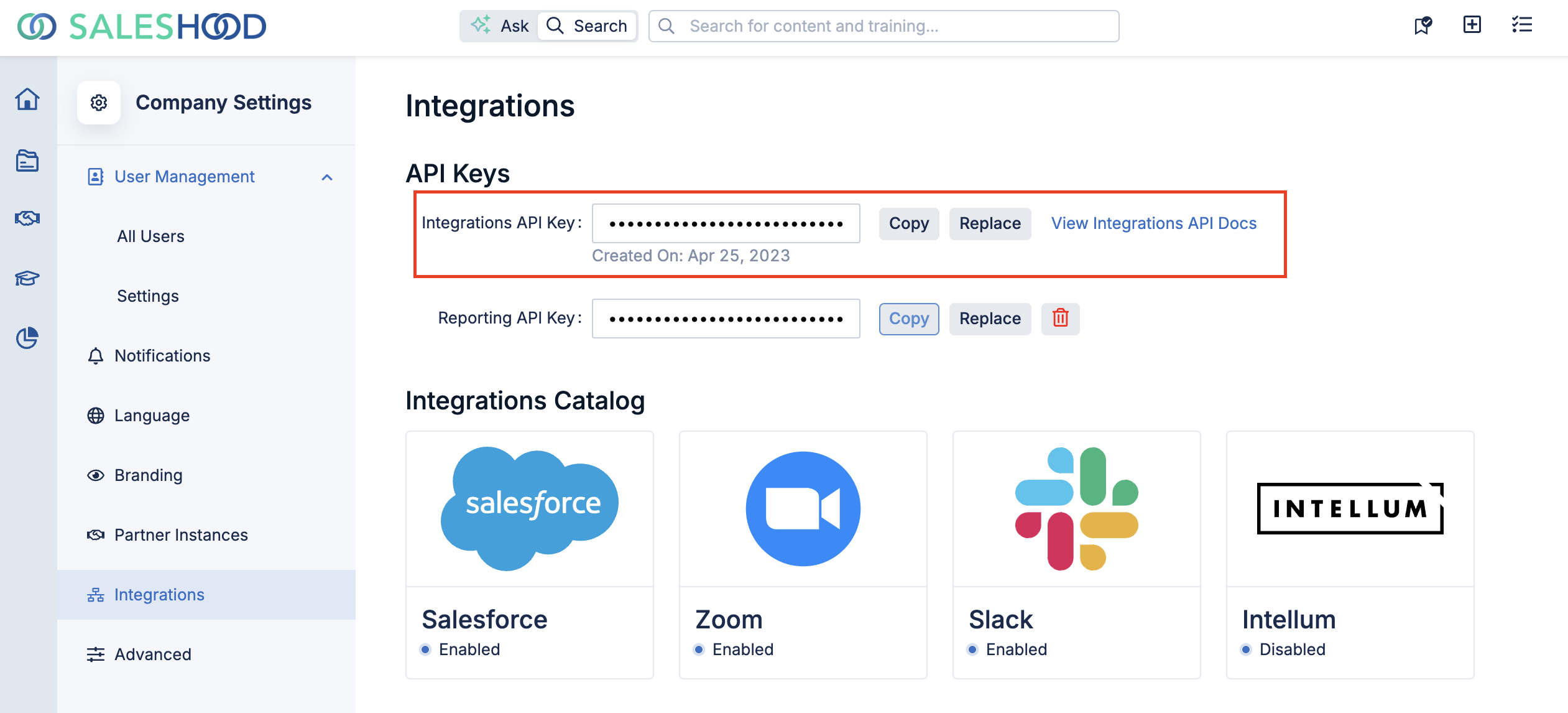
Generate, Copy, and Replace your integrations API key from the Company Settings > Integrations page.
Using the API Key
To authenticate your API requests using the API Key in the headers, include the following header in your HTTP requests:
Authorization: Bearer <YOUR_INTEGRATIONS_API_KEY>API Key Security
- Keep it Secret: Treat your API Key like a password. Do not share it publicly or hard-code it in client-side code.
- Use HTTPS: Always use HTTPS when making requests to ensure that your API Key is transmitted securely.
- Regenerate if Compromised: If you suspect your API Key has been compromised, regenerate it immediately in your developer portal.